Starting With HTML: 1st Hello World
Once again Welcome to the exciting world of web development! Today, we're going to do some code and create our first "Hello World" webpage using HTML.
Understanding The HTML
HTML, which stands for Hyper Text Markup Language, is the backbone of web development. Think of HTML as the foundation upon which the entire web is built. HTML is used to prepare the skeleton for a webpage. It helps us to define structure and layout of the content on our webpage.
HTML is not a Programming Language, that means it doesn't have decision making capabilities. HTML is a markup language. It uses tags to structure content on the web. Each tag serves a specific purpose, defining elements such as headings, paragraphs, images, and links.
Our First Step: "Hello World" with HTML
HTML is more than just code. It's the scaffolding that supports the internet's architecture. Each HTML tag is like a building block, defining the structure and meaning of the content it encloses. Our "Hello World" example will introduce you to some of these foundational tags, laying the groundwork for your future web projects.
Now, let's dive into the intricacies of HTML, create your first digital masterpiece, and set the stage for an exciting adventure in web development.
<!DOCTYPE html>
<html lang="en">
<head>
    <meta charset="UTF-8">
    <meta name="viewport" content="width=device-width, initial-scale=1.0">
    <title>Hello World</title>
</head>
<body>
    <h1>Hello, World!</h1>
    <p>This is my first HTML webpage. Exciting, isn't it?</p>
</body>
</html>
Breaking Down The Code
<!DOCTYPE html>: This is a document type declaration and informs the web browser that the document is an HTML5 document. It helps the browser to interpret the document correctly.<html lang="en">: This is the opening tag for the HTML document. Thelangattribute specifies the language of the document, which is set to English (en).<head>: This is the opening tag for the head section of the HTML document. The head section contains meta-information about the document, such as the character set, viewport settings, and the document's title.<meta charset="UTF-8">: This meta tag sets the character set encoding for the document to UTF-8, which is a widely used character encoding that supports a vast range of characters from various languages.<meta name="viewport" content="width=device-width, initial-scale=1.0">: This meta tag is used to control the viewport settings on your devices. It ensures that when the screen width is changed it captures that width and sets initial zoom level to 1.0. Means now if you change the size of the webpage then it will change with reference to the initial scale which is set to 1.0.<title>Hello World</title>: This is the title tag, which sets the title of the HTML document. The text between the opening<title>and closing</title>tags is what appears as the title of the browser window or tab.</head>:This is the closing tag for the head section of the HTML document.<body>: This is the opening tag for the body section of the HTML document. The body contains the content of the document, such as text, images, links, and other elements.<h1>: Defines a top-level heading. Headings range from h1 to h6 in the HTML. h1 is the top-level heading in an HTML document and h6 is the smallest heading. We generally use h1 to h4.<p>: Represents a paragraph.</body>: This is the closing tag for the body section, indicating the end of the content.</html>: This is the closing tag for the HTML document, indicating the end of the document.
Creating Your First Webpage
Open a Text Editor: Visual Studio Code.
Copy and Paste the HTML Code: Copy the provided HTML code and paste it into your text editor.
Save the File: Save the file with a
.htmlextension, for example,index.html.Open in a Browser: Double-click the HTML file, and it will open in your default web browser. You can also open it with live server. If you open it with live server you don't need to refresh the webpage again and again if you make any changes to your code.
Congratulations! You've just created and viewed your first HTML webpage.
Uses Of HTML
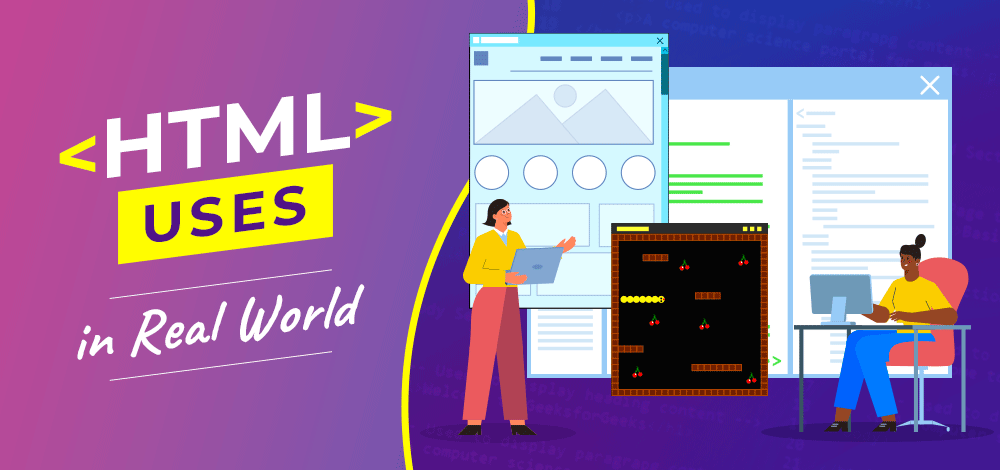
At the heart of web development lies HTML, a language that transcends mere code. It's a versatile tool that extends far beyond the basics. Let's explore some key uses of HTML:
1. Structuring Content:
- HTML provides the foundation for organizing content on the web. Whether it's text, images, videos, or interactive elements, HTML tags structure information for seamless presentation.
2. Creating Hyperlinks:
- With HTML, you can effortlessly connect web pages through hyperlinks. Navigating the vast expanse of the internet becomes possible through these interconnected pathways.
3. Enabling Accessibility:
- HTML plays a crucial role in creating accessible websites. Semantic HTML tags ensure that content is not only visually appealing but also navigable for users with disabilities.
4. Embedding Media:
- From images to audio and video, HTML facilitates the embedding of diverse media types. Your web projects can come alive with engaging multimedia content.
5. Building Forms:
- HTML forms are the backbone of user interactions on the web. They enable everything from simple contact forms to complex data submissions and user registrations.
Versions Of HTML
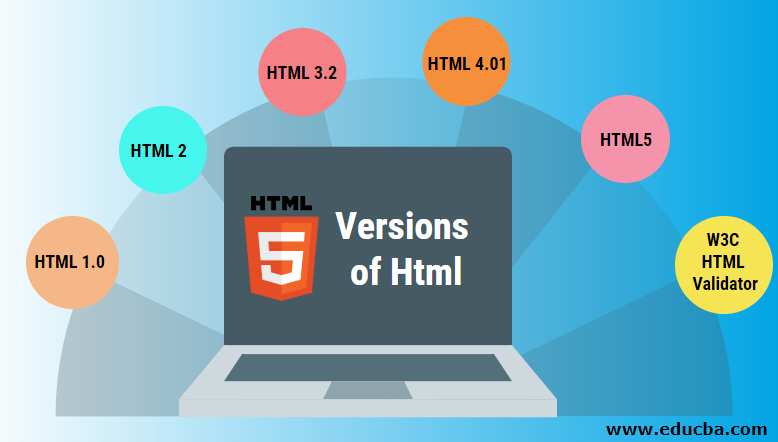
Following are the versions of HTML till Now,
Thank You
If You've reached to the end, You are a champ. If you liked the Article consider sharing it with others and stay connected because I'm going to cover each and every topic in detail. If you have any doubts or want discussion on any specific topic let me know in comments.